

 English
 Nederlands
 Polski

Regess Sp. z o.o.
Mysłakowice
Loading the results map…
Browse companies that indicate they work with ZZP contractors.
Mysłakowice

Rotterdam
Praca Zzp, monter paneli, timmerman, monter okien, hydraulik, betontimmerman, renowacje, budowa...
Discover companies working with ZZP contractors.
View the mapThere are currently no active assignments. Post yours and reach people looking for their next project.
Explore candidates who have indicated they are looking for ZZP assignments.
Vlaardingen
Construction / Installation
Occupation / type of workTimmerman
Not open to new contacts
Registered: 10.11.2026
Phone and email: hidden
Rotterdam
Construction / Installation
Occupation / type of workHydraulik
Not open to new contacts
Registered: 05.11.2026
Phone and email: hidden
Learn Dutch, create a CV, timesheet, mileage register or invoice and explore services for your business.
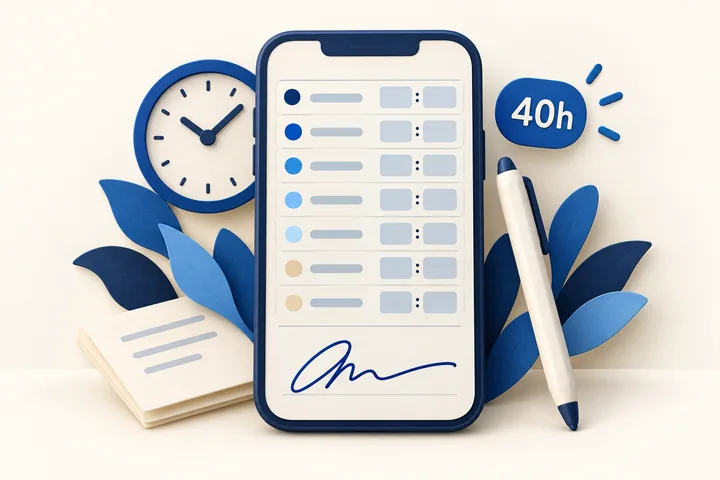
For ZZP contractors - free in your account
Less retyping. More time for your work.
Open your timesheet and see the information already filled in. You can edit it, then hand it over for a signature!
The hours, rate and client details are already on your invoice! Check that everything is correct, make any changes and click to send it to your client and your own administration!
The days from your timesheet appear together with their locations in your mileage register! When the timesheet is signed, the address of your location is retrieved, probably your project site!
Add a client by pasting only their VAT number - the rest fills itself in!
Free ZZP account. You do not need to be looking for assignments to use the tools.

For businesses · SEO Kraan
Explore the services offered by SEO Kraan and learn how to work on your website’s visibility in search engines.
External service
Discover SEO Kraan
Learning · no registration
Start with useful words, pronunciation, dialogues and exercises. Learn online at your own pace, with explanations in Polish.
Free access · explanations in Polish
Start learning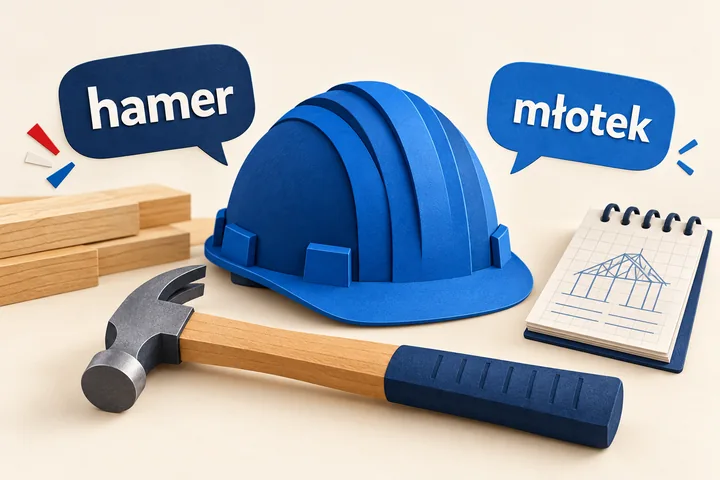
Construction and ZZP · no registration
Learn construction words with a simple pronunciation guide and Polish translations. Short dialogues show how to use the vocabulary at work.
Free access · explanations in Polish
Open the dictionary and lessons
For candidates · sign-in required
Add your experience and skills, then download your CV as a PDF or send it to your own email. Available in all four industries on the portal.
Quick, free registration
Explore the free CV builderFor work · no registration
Enter your hours and company details. Ask your supervisor to sign on your phone, then take a screenshot yourself and share it your preferred way.
Form in Dutch
Fill in your timesheet
For ZZP contractors · sign-in required
Enter your details and download a Dutch invoice PDF with your profile logo. You do not need to be looking for work or assignments to use the tool.
Free for registered ZZP contractors
Create an invoice
Learning A2–C2 · no registration
Read a story in parts, discover vocabulary and practise Dutch from A2 to C2. With explanations in Polish.
Free access · explanations in Polish
Read and learnFind out how to look for jobs or staff, learn Dutch and use the CV builder, timesheet and additional services.
HR Kamer is a platform with job listings, a candidate database and employer profiles. Jobseekers can apply to companies, and employers can look for staff. Self-employed ZZP professionals can find assignments and present their skills to companies interested in working with independent contractors.
You can apply to job listings without registering: open a listing and click “Apply”. You can also apply directly to companies in the employer directory without registering. To let multiple employers find you, register your candidate profile in the database.
Apply to jobs without registeringApply to companies without registeringRegister your candidate profile
Yes. Enter your email address, phone number and a short message in the application form. You can choose to remember these details in your browser to make your next application faster. Do not enable this option on a shared computer.
Yes. Open the company profile in the employer directory and choose “Apply”. Describe the work or cooperation you are looking for. Your application will appear in that company’s private panel. Once it is saved, you will see any contact details the company has provided.
Include your occupation, experience, location, language skills and availability. Say whether you want employment or self-employed ZZP assignments. Contact details in the candidate database are available to signed-in employers who have access to the database.
After signing in with an active company account, you can browse candidate profiles and compare experience, availability and preferred working arrangements. You can also publish a job or assignment and receive applications from people seeking employment or self-employed ZZP work.
Sign in to your company account and choose “Add a job offer”. Paste your job description: the system automatically fills in the role, town and hourly rate when it recognises those details in the text. This makes posting jobs and assignments faster. Check the completed fields and correct them if needed. Also state whether you are looking for employees, independent ZZP contractors or both.
Applications sent through “Apply” are stored under “Applications” in the company account. You can read the message and contact details and record whether you plan to call back, have spoken to the candidate and what the hiring outcome was. Applications are not public.
Yes. When you apply as a ZZP business, you are looking for assignments for your business rather than an employee job. Select ZZP cooperation in your candidate profile and describe your trade, experience and availability. Check the working arrangement stated in each listing. Before starting an assignment, agree on the tasks, rate, timing and payment terms with the company.
The search tool lets you select conditions such as accommodation, transport, work for couples or no language requirement. Availability depends on current listings. Read the description and confirm the conditions with the company before travelling or starting work.
HR Kamer offers an online Dutch course that you can read without registering. It starts with the basics and includes vocabulary, explanations in Polish, dialogues and exercises. The lessons are free and you can follow them at your own pace.
Yes. HR Kamer’s public construction dictionary includes Dutch words, a simple pronunciation guide for Polish speakers, Polish translations and illustrated dialogues. Topics include tools, materials, installation and safety. Access is free and no account is required.
Create a free candidate account, confirm your email and open the CV builder in your account. Add your experience, check the preview, then download the PDF or send it to your confirmed email address. The builder supports construction and installations, warehouse, production and greenhouse work, technical roles and office work. If you only want the CV builder, set your availability to say that you are not currently looking for work.
Yes. Open the HR Kamer timesheet, choose a week and enter your hours and company details. Your supervisor can sign with a finger on your phone. Then take a screenshot yourself and send it, for example using WhatsApp. The form is in Dutch and no account is required.
The services section links to SEO Kraan. Visit its website to explore services related to search visibility and contact the agency. This is an external service; check the scope and terms directly with SEO Kraan.
Yes. Register a ZZP profile in construction and installations, confirm your email and open Invoice in your account. Enter the details, check VAT and download the Dutch PDF with your profile logo. You do not need to be looking for assignments.
Yes. Describe the recruitment tasks, contacts, documents or repetitive work you want to improve. The services page provides information and a link to SEO Kraan. A custom dashboard is a separate service with an individually agreed scope and price, not a standard feature of a free account.
Necessary cookies support the website. Google Analytics starts only after your permission to analyse visits. Google may then receive visit data and cookie identifiers. This choice covers those statistics; sign-in and website features work independently. You can withdraw permission through “Cookie settings” in the footer. Cookie policy.
