

-
For Employee Apply for a job
-
For Employer Add a job offer
Login
Registration
Using the portal is free
 English
 Nederlands
 Polski
The version with a logo requires a ZZP candidate account in Construction and installations. An employer account does not provide access to this tool. Already registered? Sign in
Record your hours without printing
Free online timesheet
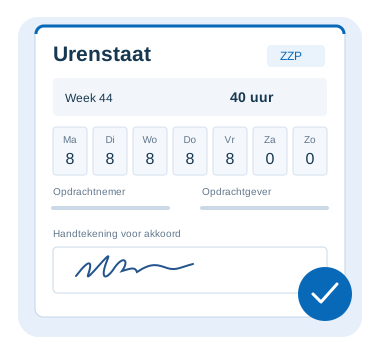
Enter your hours, ask the supervisor to sign with a finger and take a screenshot. The timesheet is in Dutch, with short Polish explanations.
- Free to use
- Sign on your phone
- No app to install
The basic version works immediately. You only need an account to add your own logo.
Three simple steps
Enter your hours
The week number and dates fill in automatically. Change them for a different week. Check your hours and the details of both companies.
Collect the signature
The supervisor or client signs with a finger on your phone. Then tap “Uren bevestigen”.
Take a screenshot
You now see a tidy timesheet. Take a regular screenshot with your phone buttons and share it yourself, for example through WhatsApp.
Your own logo on your timesheet
Have a ZZP account at HR Kamer? Add your logo to your profile and open the timesheet from your account. The logo appears at the top and your name is filled in from your profile. You can edit the form details.
Online timesheet — frequently asked questions
Is the timesheet free?
Yes. The version without your own logo works without signing in. The version with your profile logo is also free and requires a ZZP account.
Is a file or screenshot generated automatically?
No. “Uren bevestigen” prepares a clear view for a screenshot. You take the screenshot yourself on your phone and share it using an app of your choice.
Are my details remembered?
Names, company names and hours are saved in this browser. The signed-in version saves them separately for each account. Clearing browser data removes them. Each timesheet needs a new signature.
Where does the signed timesheet go?
The timesheet and signature stay on the screen in your browser. This form does not send them to HR Kamer’s server or to your client. You take a screenshot and decide who receives it.
Can I record a different week?
Yes. Change the week number or year. The dates update automatically. You can edit the hours for every day, including Saturday and Sunday.